
Google Tag Manager
Sublift recommendations can be easily and simply implemented using Google Tag Manager (GTM), enabling the code to be implmented by analytics and marketing teams.
We'll help you with this but once your client config file has been updated to remotely load you can then setup your recommendations in GTM.
- Open up your GTM container.
- Click on the Tags tab.
- Click on the New button.
- Select the Custom HTML tag type.
- In the HTML field, paste the CSS and JavaScript for recommendations found in the JavaScript SDK.
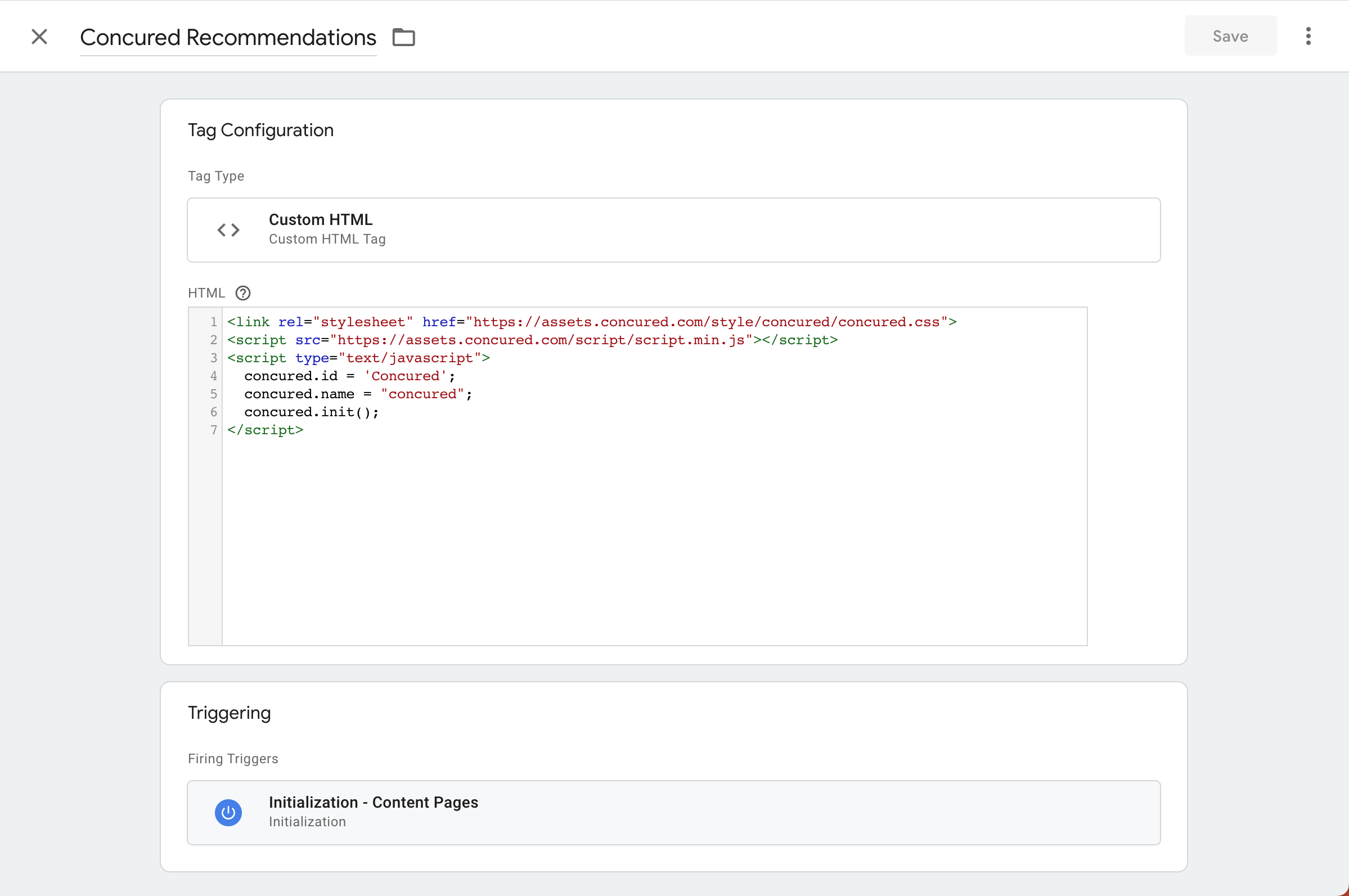
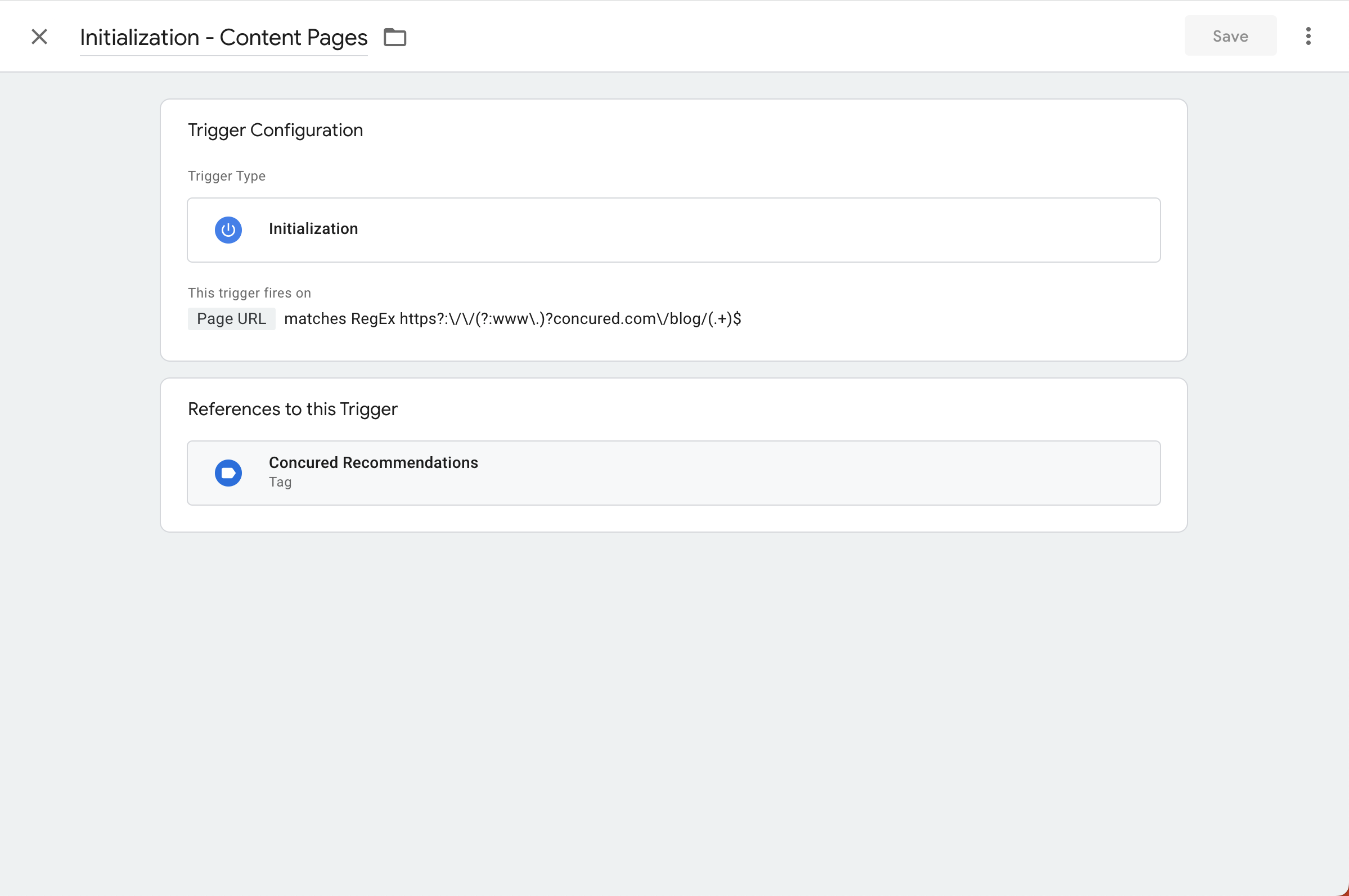
- Next go to the trigger section and add your custom trigger. In the example below we are only firing the trigger on pages within the blog section of the site.
- Once your tag and trigger are setup you can use GTM to preview your changes to confirm it is working as expected before publishing the version to your site.
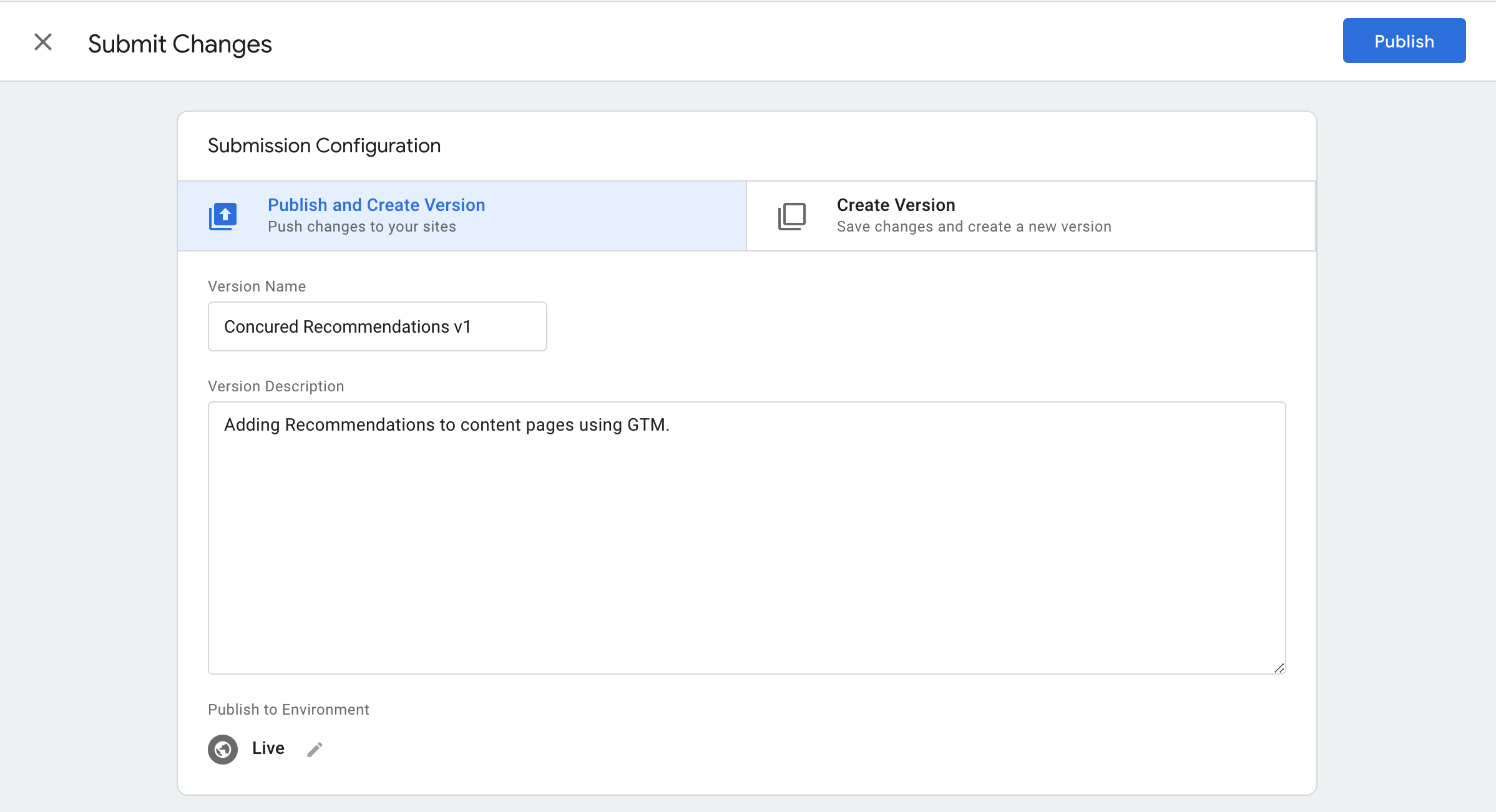
Sublift will then load automatically with AI based recommendations.